
DesignX
Book Call
Evernote Case Study

Evernote AI: Designing Intelligence That Disappears

How we integrated AI into the world's most popular note-taking app — without breaking the writing flow
Preston Lewis · Senior Product Designer

The Challenge

Evernote had millions of users with deeply established writing habits. AI needed to feel helpful from day one, without creating friction or noise in the editor.
Existing Habits to Protect
Writers already had trusted workflows. AI could not force a new way of thinking or drafting.
Utility Over Novelty
The feature had to solve real note-taking problems, not feel like a gimmick bolted onto the UI.
Low Visual Distraction
AI had to stay out of the way until invited, preserving focus in the main editing surface.

My Role

Senior Product Designer (Contract)

Led core AI interaction patterns within Evernote across key desktop and mobile experiences.

AI Assistant Panel UX

Defined how AI lives in a dedicated space so writing remains uninterrupted and content-first.

Inline Editing Intelligence

Designed context-aware text actions for selected content: summarize, rewrite, translate, and more.

Generation + Usage Controls

Shaped insertion flows and transparent usage controls so users retained confidence and authorship.

Design Principles

Respect Existing Workflows

AI enhances note creation and editing without interrupting established behavior.

Progressive Disclosure

Power appears only when needed. The baseline writing canvas stays clean and familiar.

Transparent Limits

Usage visibility and limits are explicit, reducing anxiety and setting clear expectations.

Content First

AI serves the note. The note does not serve the AI feature.

AI Assistant Introduction
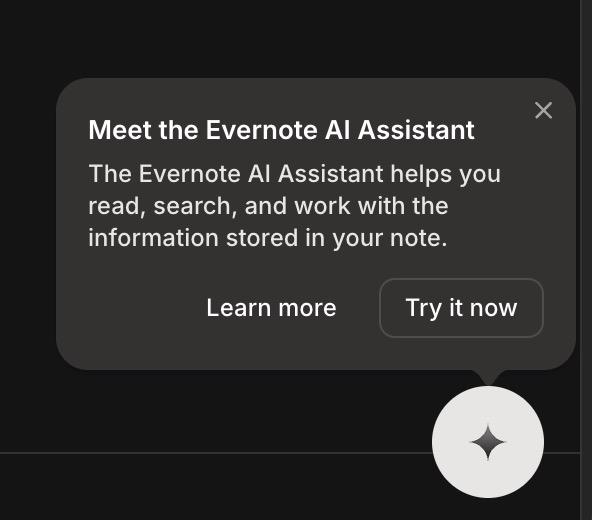
The onboarding moment was intentionally gentle: a lightweight tooltip that introduces AI without forcing immediate interaction. Discovery happens on the user’s terms.
Evernote AI assistant introduction modal with sparkle icon

A subtle first-touch prompt designed for opt-in discovery.

The AI Assistant Panel
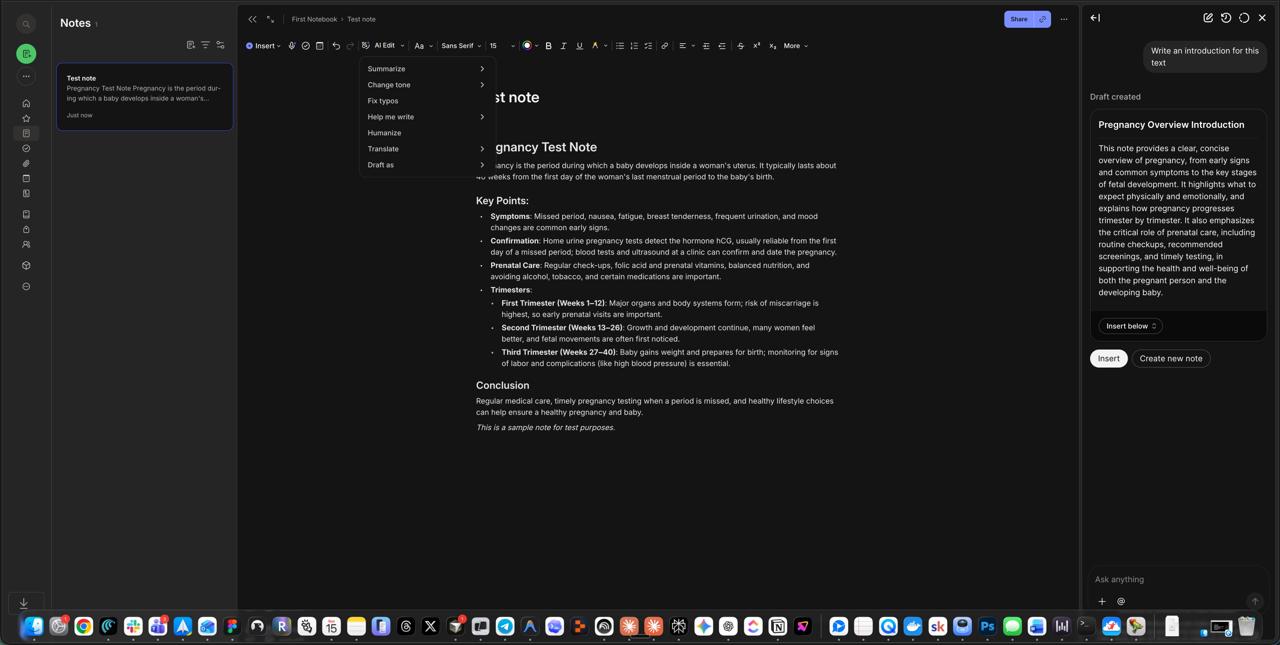
AI lives in a dedicated side panel, never hijacking inline editing. Suggestions are contextual to the note and easy to accept, refine, or ignore.
Evernote desktop view with notes list, editor, and AI assistant panel

Dedicated panel architecture keeps writing and AI collaboration clearly separated.
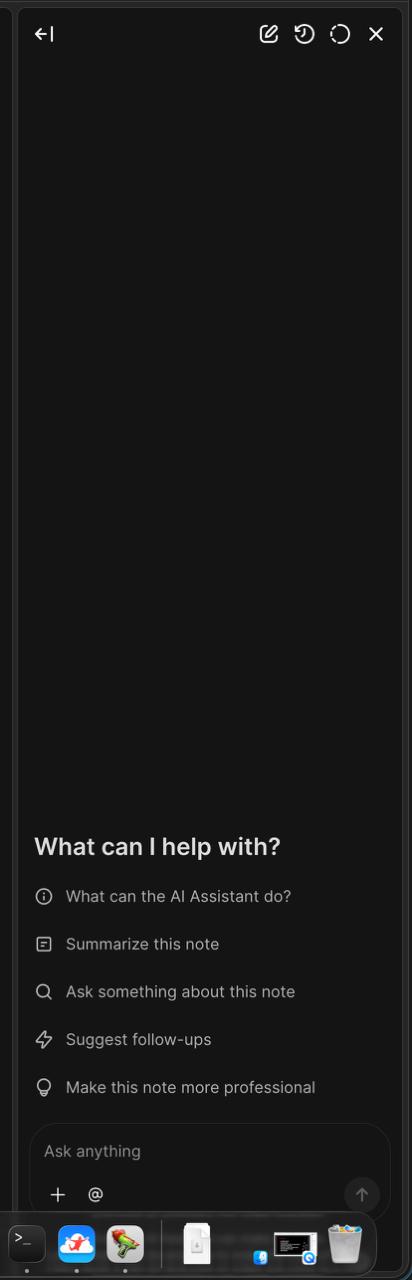
AI command menu with suggested actions

Contextual command starters remove blank-page friction without overwhelming the interface.

Content Generation Flow
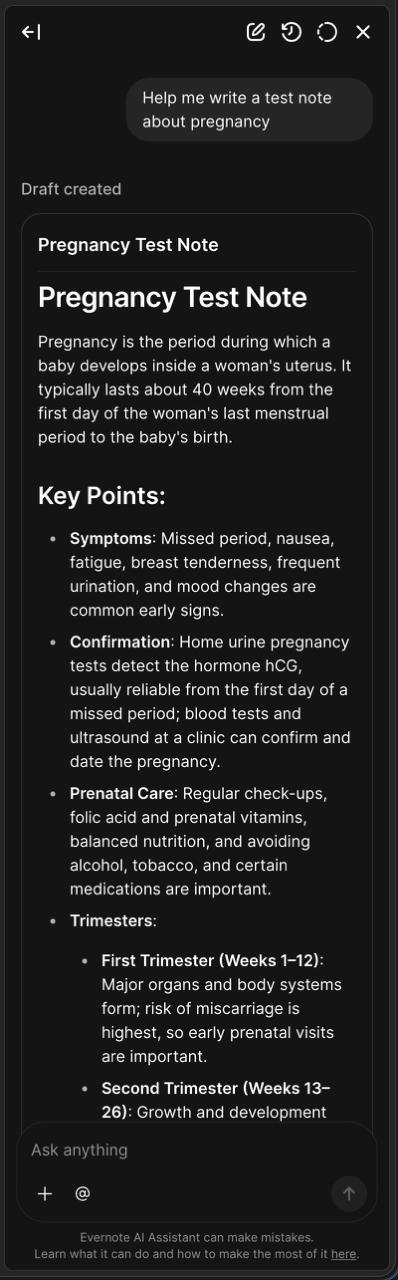
Generated drafts appear in the assistant first—not dropped directly into the note. This protects user intent and gives writers a review step before insertion.
AI-generated structured note draft in Evernote assistant

AI outputs mirror real note structure with headings, bullets, and scannable sections.
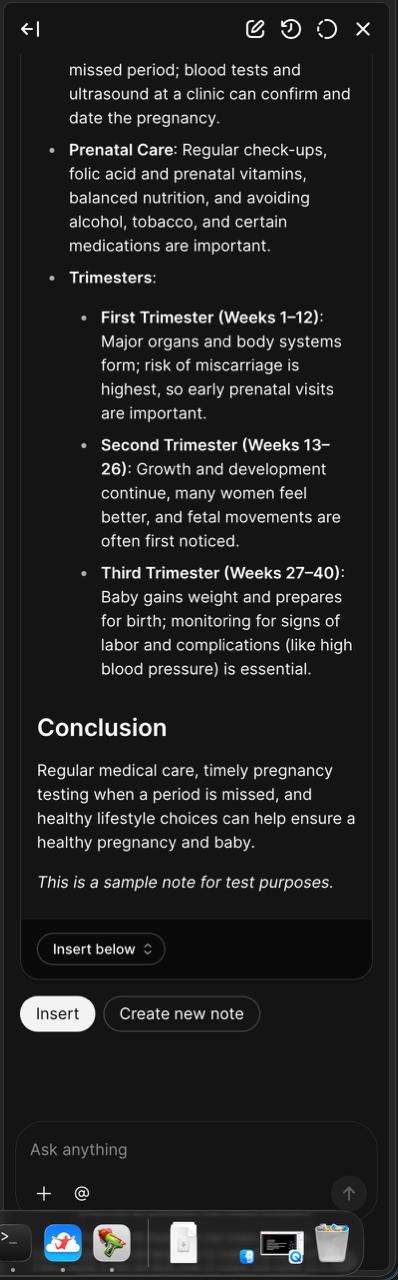
Bottom of AI generation panel with insertion controls

The decision point is explicit: insert, reposition, or create a new note.

Insertion Controls

Granular insertion options preserve authorship. AI suggests content; users choose exact placement in their writing flow.
Insert dropdown showing Insert below and Insert on cursor options

Placement controls support deliberate editing instead of one-click overwrite.

AI generation panel with insert and create new note actions

Final action controls reinforce user agency at the moment of commitment.

Inline AI Editing
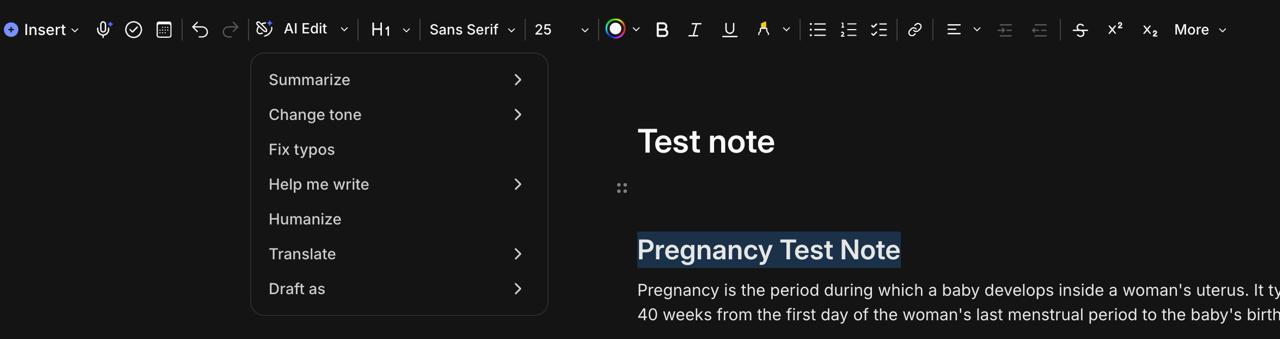
AI Edit actions are attached to selected text: Summarize, Change tone, Fix typos, Help me write, Humanize, Translate, and Draft as. Context-aware and non-destructive by design.
Evernote inline AI edit dropdown menu in desktop editor

Powerful edits stay one click away from the text selection itself.

AI Usage Transparency
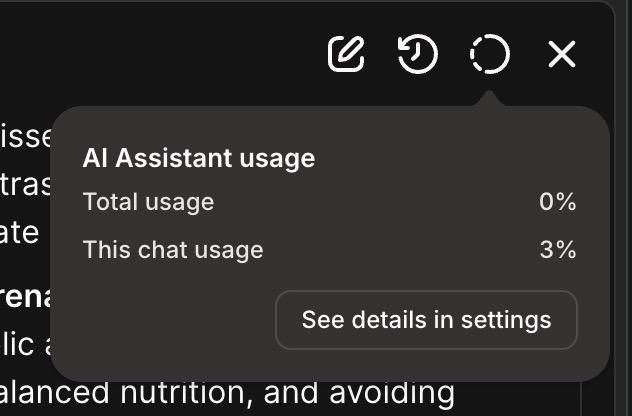
Users can always see consumption in context and in settings. Monthly reset timing, per-chat usage, and feature access limits are explicit and easy to understand.
AI usage popup showing total and current chat usage

In-flow usage visibility builds trust at the moment users need it most.
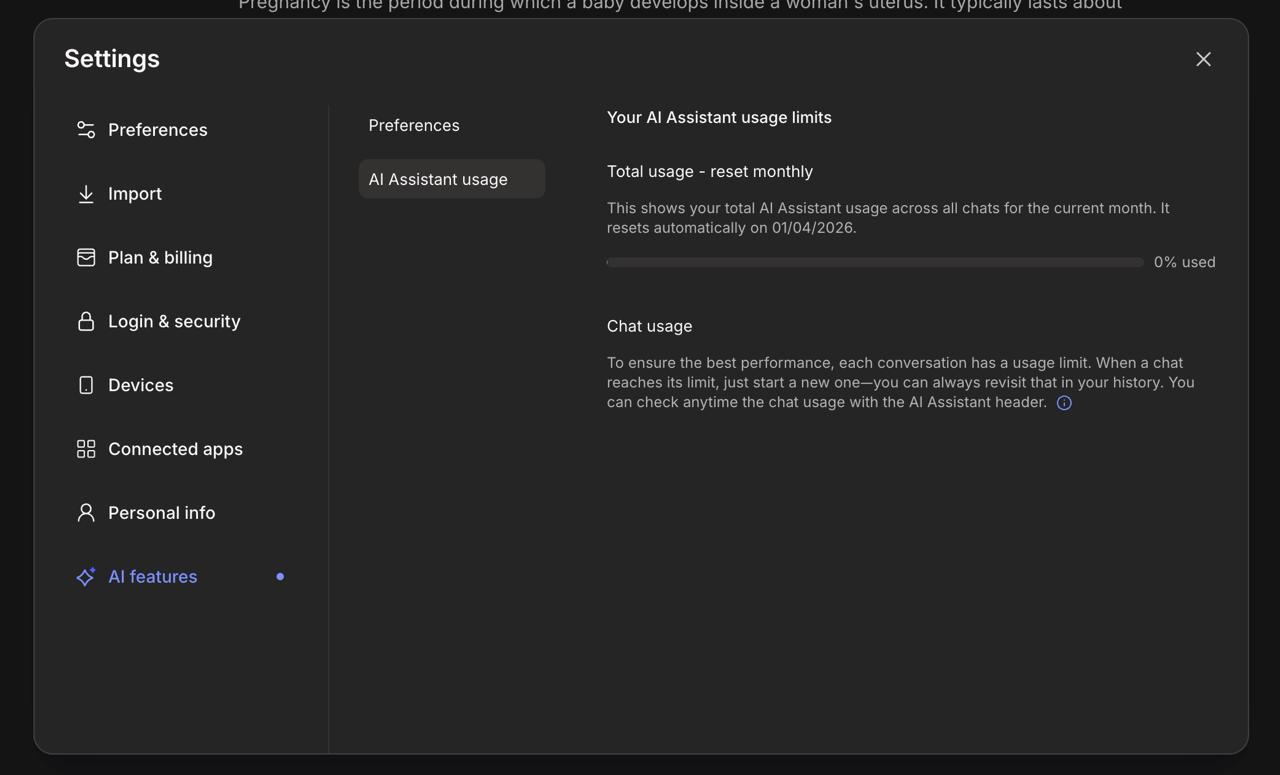
Evernote AI settings panel with monthly limits and reset information

Settings provide deeper transparency without cluttering everyday writing.

The Product Ecosystem
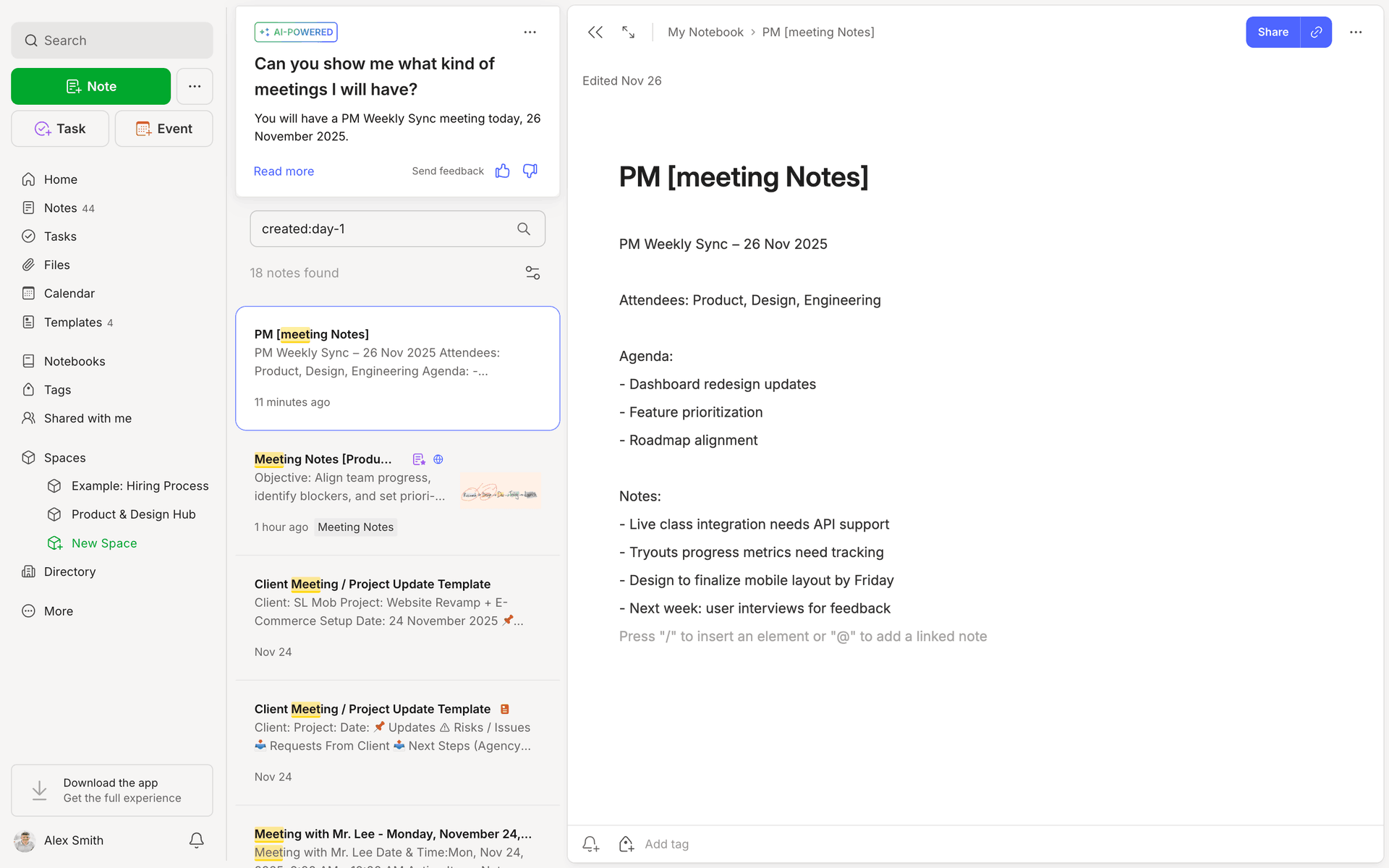
AI was not isolated to one panel. It also powered semantic retrieval and answer surfacing directly in search and navigation workflows.
Evernote search experience with AI answer card

Semantic search turns notes into instant answers with source context.
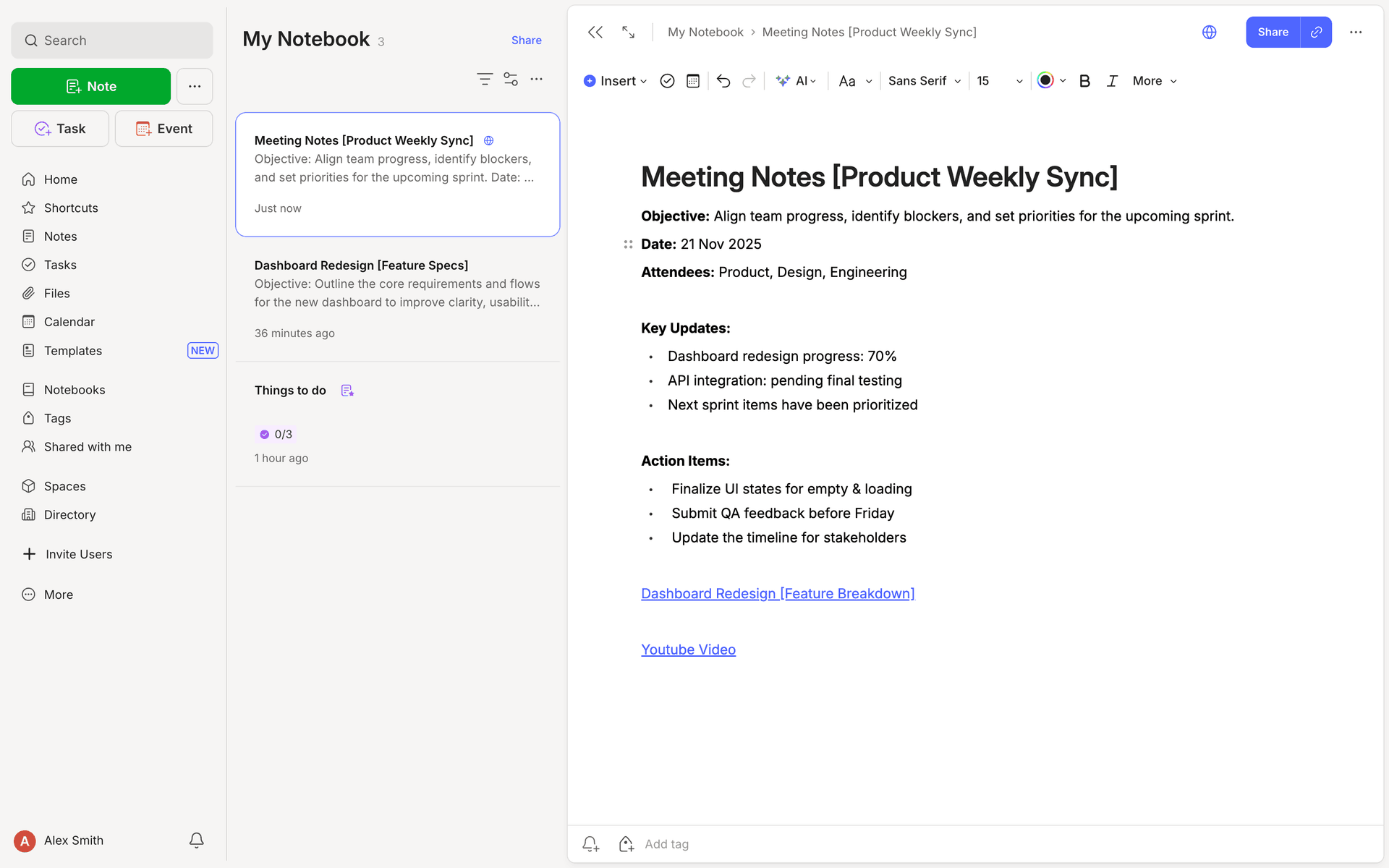
Evernote three-pane desktop layout with notes list and editor

AI capabilities extend naturally inside the core notes workflow.

Multi-Surface Design
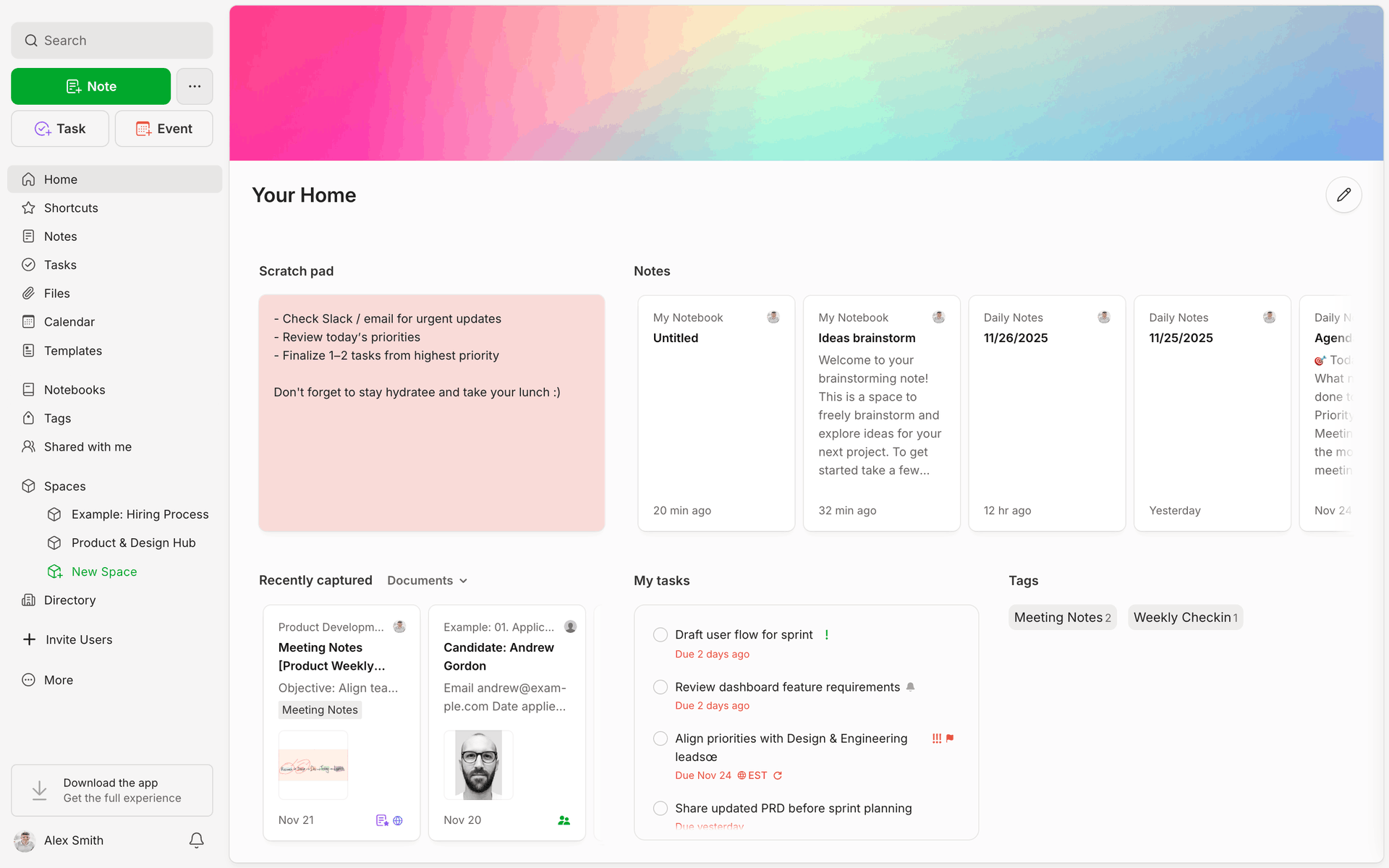
From Home Dashboard to Spaces Hub, AI features were designed to feel native across every surface—not bolted on as a separate product layer.
Evernote home dashboard screen

Home retains a clean information hierarchy while exposing AI-enhanced workflows.
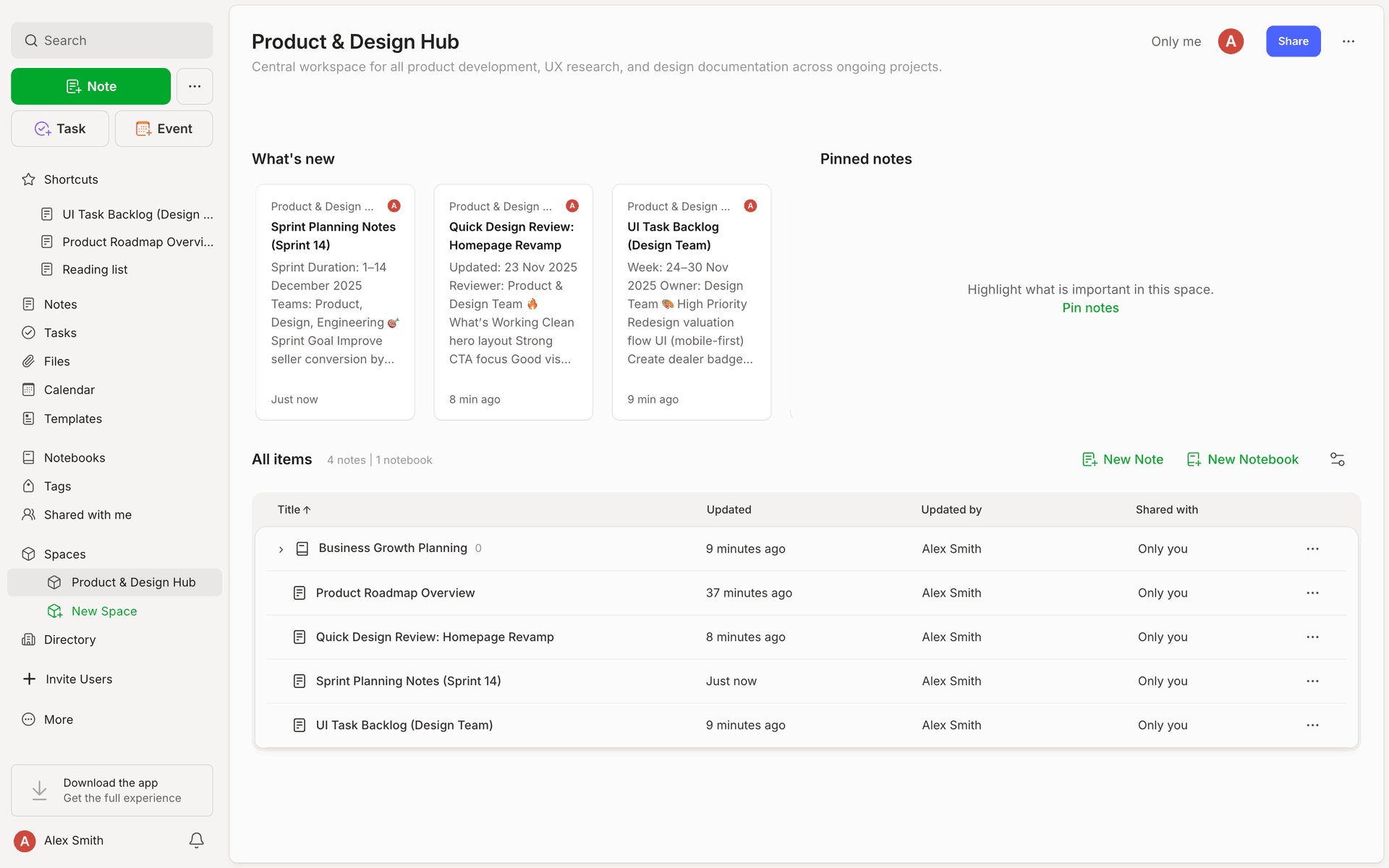
Evernote spaces hub view

Shared language and interactions create continuity across product surfaces.

Results & Impact

The work prioritized measured integration over novelty. Adoption came from relevance and restraint, not interruption.
0%
Increase in workflow interruptions

Non-disruptive by design across core editor tasks.

0%
Average AI usage per session

Designed for restraint and precision, not overuse.

0%
Discoverability via onboarding

Progressive introduction made capability visible without pressure.

0
Inline AI editing actions

Context-aware tools available exactly where writing happens.

Key Takeaways

AI in productivity tools should behave like infrastructure: reliable, contextual, and quietly powerful.
Keep users in control at every handoff—especially when generated content enters authored work.
Progressive disclosure and transparent limits create trust faster than aggressive feature exposure.

Let's build thoughtful AI experiences

Preston Lewis · Senior Product Designer contact@designx.co